※해당 게시글은 취약점 진단 목적의 웹 서비스 구축을 위한 부분으로, 일반적인 웹 서비스 개발 목적과는 다름을 참고해주시면 감사하겠습니다.
1.구축 환경
| 구분 | 설명 | 비고 |
| 운영체제 | Ubuntu 22.04 x64 (6.2.0-36-generic) | |
| 하드웨어 | VM | |
| 서버 운영환경 | Node v12.22.9 / npm 8.5.1 / express 4.18.2 mongoose 8.0.3 ejs 3.1.9 |
|
| 데이터베이스 | MongoDB Community Edition 7.0.4 |
2.구축 과정
1)SSL/TLS 인증서 생성
- SSL/TLS 인증서는 무료로 제공되는 'Lets Encrypt'를 이용하는 경우와, 'openssl' 등을 이용하여 사설 인증서를 생성할 수 있으나 개발 목적을 위해 'openssl'을 이용한 자체 인증서를 생성
- Let's Encrypt 는 인터넷망에 연결된 웹 사이트에 보다 더 많은 암호화된 연결을 제공하는데 목적을 가짐
(1) 인증서 생성
openssl req -x509 -newkey rsa:4096 -keyout key.pem -out cert.pem -days 365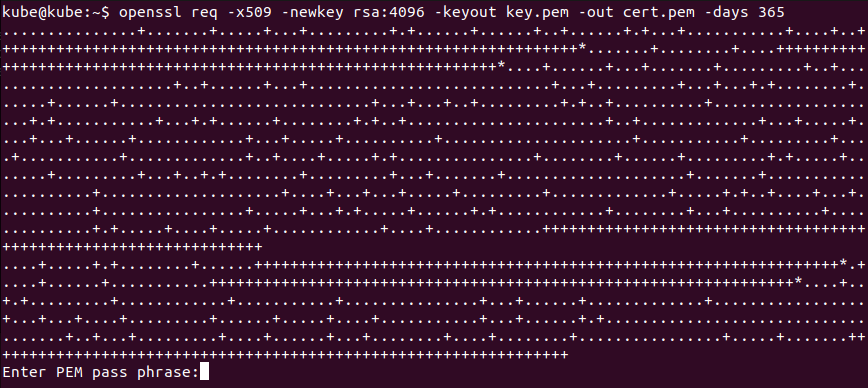
(2)생성된 개인키 key.pem 에 입력된 비밀번호 제거
- 비밀번호를 제거하지 않으면 서버 실행 시마다 비밀번호 입력을 요구, 번거로움과 'nodemon'에서 구동 시 비밀번호 입력이 되지 않아 에러가 발생
openssl rsa -in key.pem.ori -out key.pem
2)app.js에 HTTPS 적용
- 이전 소스코드에서 'const app = express();'로 실행되는 서버는 HTTP 서버로, HTTPS 서버 생성 및 실행으로 변경 필요
#https 사용과, 키 값을 호출하도록 fs 모듈 설정
const https = require('https');
const fs = require('fs');
const path = require('path');

#키 경로 설정
const keyPath = '[경로]/ssl/key.pem';
const certPath = '[경로]//ssl/cert.pem';

const key = fs.readFileSync(keyPath, 'utf8');
const cert = fs.readFileSync(certPath, 'utf8');

const credentials = { key: key, cert: cert };

#HTTPS 서버 생성 및 실행
const httpsServer = https.createServer(credentials, app);
httpsServer.listen(PORT, () => {
  console.log(`HTTPS 서버가 ${PORT} 포트에서 실행 중입니다.`);
});
3)변경된 app.js 전체 소스코드
// app.js
const express = require('express');
const session = require('express-session');
const bodyParser = require('body-parser');
const { MongoClient } = require('mongodb');
const path = require('path');
const https = require('https');
const fs = require('fs');
const PORT = 8443;
const sessionSecretKey = 'SecretKey';

const app = express();

app.set('view engine', 'ejs'); // EJS를 사용하도록 설정
app.set('views', __dirname + '/views'); // views 디렉토리 경로 설정

app.use(session({ secret: sessionSecretKey, resave: false, saveUninitialized: true }));
app.use(bodyParser.urlencoded({ extended: true }));

// MongoDB 연결 정보
const uri = 'mongodb://localhost:27017';
const client = new MongoClient(uri, { useUnifiedTopology: true });

const keyPath = '[경로]/ssl/key.pem';
const certPath = '[경로]/ssl/cert.pem';

const key = fs.readFileSync(keyPath, 'utf8');
const cert = fs.readFileSync(certPath, 'utf8');

const credentials = { key: key, cert: cert };

// 미들웨어 설정
app.use(bodyParser.urlencoded({ extended: false }));
app.use(bodyParser.json());

// 라우트 및 컨트롤러
app.get('/', (req, res) => {
  res.send('Welcome to the home page!');
});

app.get('/login', (req, res) => {
  res.render('login'); // EJS 템플릿을 사용하여 login.ejs 렌더링
});

// 로그인 처리
app.post('/login', async (req, res) => {
  const { username, password } = req.body;

  try {
    // MongoDB 클라이언트 연결
    await client.connect();

    // 'WebApplication_01' 데이터베이스 및 'Member' 컬렉션 선택
    const database = client.db('WebApplication_01');
    const memberCollection = database.collection('Member');

    // 입력한 username과 password로 사용자 조회
    const user = await memberCollection.findOne({ username, password });

    if (user) {
      // 사용자 정보가 일치하면 세션에 사용자 정보 저장
      req.session.user = username;
      res.redirect('/dashboard'); // 로그인 성공 시 대시보드로 리다이렉트
    } else {
      // 사용자 정보가 일치하지 않으면 로그인 페이지로 리다이렉트
      res.redirect('/login');
    }
  } catch (error) {
    console.error('MongoDB 연결 오류:', error);
    res.status(500).send('서버 오류');
  } finally {
    // MongoDB 클라이언트 연결 종료
    await client.close();
  }
});

// 대시보드 페이지 (로그인 필요)
app.get('/dashboard', (req, res) => {
  if (req.session.user) {
    res.render('dashboard', { user: req.session.user }); // EJS 템플릿을 사용하여 dashboard.ejs 렌더링
  } else {
    res.redirect('/login');
  }
});

// HTTPS 서버 시작
const httpsServer = https.createServer(credentials, app);
httpsServer.listen(PORT, () => {
  console.log(`HTTPS 서버가 ${PORT} 포트에서 실행 중입니다.`);
});
3.예외처리
1) HTTPS 설정 시 SSL/TLS 인증서 및 키만 등록할 경우에, app.js 서버는 HTTP로 실행되어 정상 동작하지 않음
'개발' 카테고리의 다른 글
| [WEB] Node.js 웹 사이트 구축 5 (Flutter 앱_프로젝트 설정) (0) | 2024.01.24 |
|---|---|
| [WEB] Node.js 웹 사이트 구축 4 (게시판 구현) (0) | 2024.01.22 |
| [WEB] Node.js 웹 사이트 구축 2 (로그인 기능 구현) (0) | 2024.01.15 |
| [WEB] Node.js 웹 사이트 구축 1 (환경 구성) (0) | 2024.01.05 |
| [Python] m3u8 스트리밍 영상 다운로드 (Feat.불법 다운로드 대응) (0) | 2023.06.08 |


